
Import Without Friction
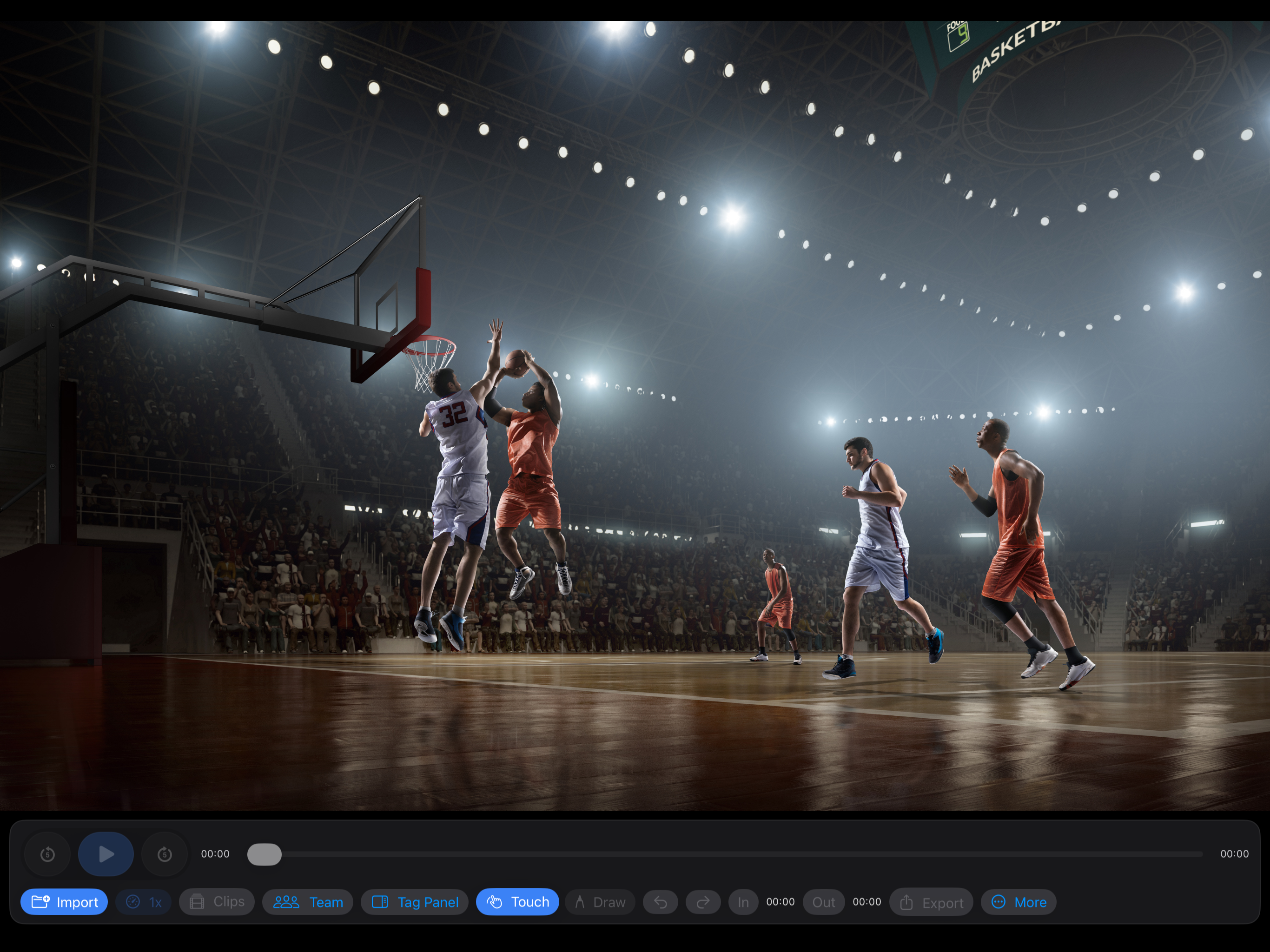
Bring in video from Photos or Files and organize multiple clips inside one game project.
Built for courtside and postgame review
Fast, touch-first basketball video review for iPad and iPhone.
Tag plays, draw on film, track player stats, and export game-ready clips in minutes.
Built around usable workflow
Postgame Vision is designed for coaches, trainers, analysts, and parents who need a fast way to review game film without enterprise software overhead.
What It Offers
Bring in video from Photos or Files and organize multiple clips inside one game project.
Smooth scrubbing, playback speed controls, and in/out clip selection keep review precise.
Draw directly on video and capture notes tied to exact timestamps.
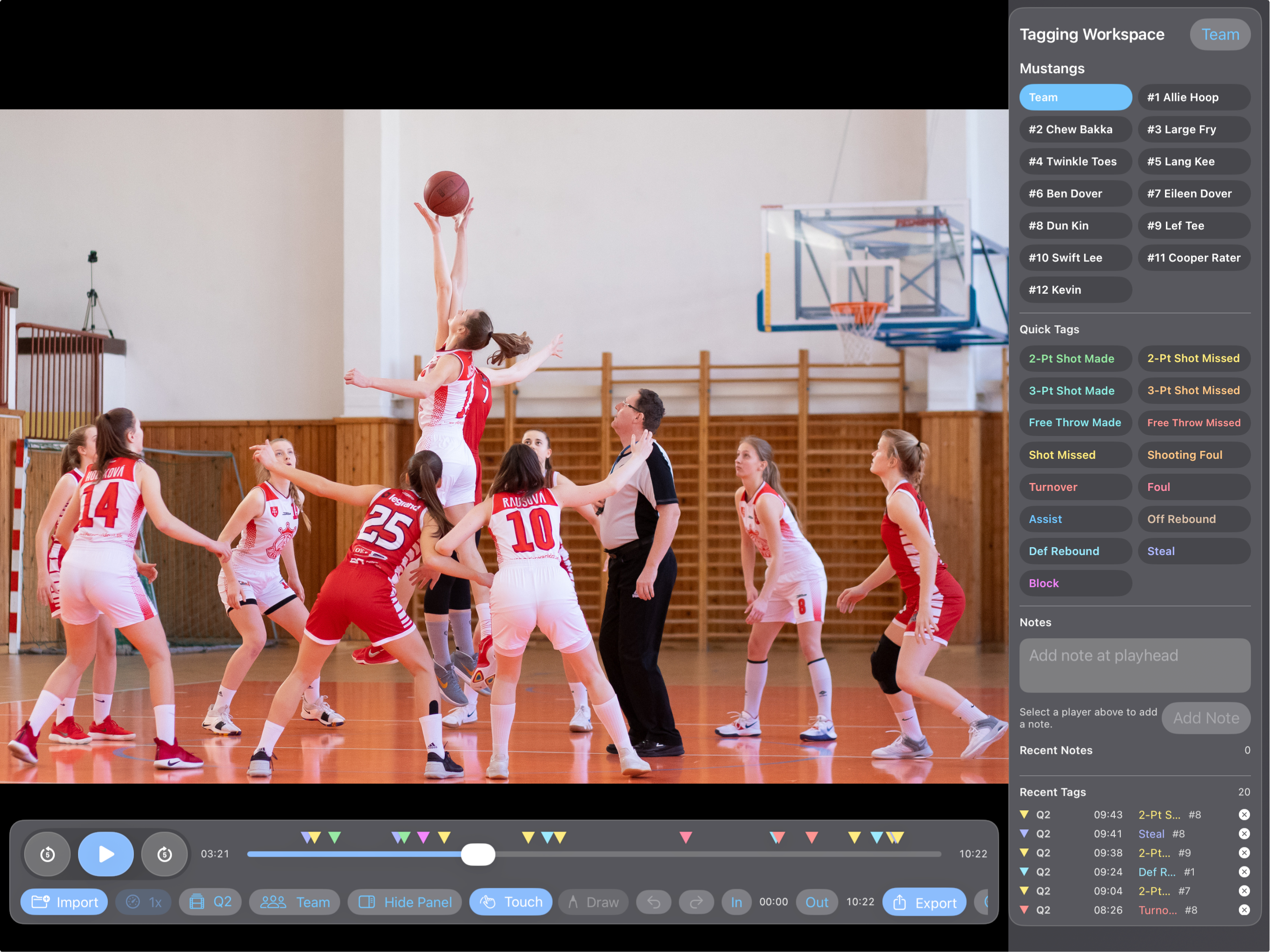
Use team and player tagging workflows to build meaningful game data while you watch.
Share one-tap clips or export team and player data as CSV or PDF.
Work across a multi-game project library with optional watermark controls when exporting.
Who It’s For
How It Works
Start a dedicated space for one matchup and keep everything together.
Add quarters, halves, or selected possessions from Photos or Files.
Select player or team context, then log the moments that matter.
Attach coaching context directly to possessions, actions, and outcomes.
Share filtered film, in/out clip ranges, and player or team reports as CSV or PDF.
Core Features
Organize games in one place with quick access and visual previews.
Select player, apply tags fast, and build game data while watching film.
Export single clips or filtered tag sequences for sharing with players and staff.
Generate team or player breakdowns as clean CSV and PDF outputs.
Built for speed on the sideline or in focused post-game review sessions.
Optional Support
Your support helps keep the app lightweight, fast, and focused for coaches.
$0.99
A small tip to support development.
$2.99
Remove the default watermark or upload your own team watermark.
$4.99
Unlock the Team Stats page for quick game and player summaries.
$9.99
Unlock custom saved tags for faster, personalized film review.
Higher tiers include all lower-tier benefits.
FAQ
This app helps coaches review game film, mark important plays, and export clips or data without needing a complicated video editing program.
No. The app is designed to be simple: import your video, watch the game, tap tags when something happens, and export the clips or stats you need.
You can import game film from your device. This works best with normal game videos recorded on an iPhone, iPad, camera, or shared video file.
Tap Import, choose your video, then press play. As you watch, you can pause, rewind, fast-forward, add tags, add notes, or mark clip start and end points.
Tags are quick labels for important moments in the game. For example: Assist, Turnover, Shot Made, Shot Missed, Rebound, or Steal.
Tags make it easier to find important moments later. Instead of scrubbing through the whole game, you can jump straight to the plays you marked.
Yes. You can assign a tag to a player so you know who was involved in the play.
Notes are for coach comments at a specific moment in the video. For example: "Good help defense," "Missed box out," or "Run this action again."
Yes. Use the In and Out buttons to mark the part of the video you want, then export that clip.
Yes. You can export clips based on tags. The app can include a few seconds before and after each tagged moment so the play has context.
This controls how much video gets included before and after a tag or note. For example, if it is set to 3 seconds before and 2 seconds after, the exported clip will show a short moment around the play.
Yes. The app can export game data and player data as PDF or CSV files. PDFs are easier to read and share. CSV files are useful for spreadsheets.
Clip exports the current video range you selected.
Tags exports video clips from selected tagged plays.
Notes exports clips connected to selected notes.
Players exports clips connected to selected players.
Data exports reports and spreadsheets.
Yes. If you import multiple videos, you can rename and reorder them as quarters or halves so the game is easier to manage.
It makes tags and exported data easier to understand. A tag at 04:20 Q2 is much clearer than a tag from an unnamed video file.
You can, but the app is mainly designed for reviewing film after or between games. It works best when you have time to watch, pause, tag, and export.
Yes. You can use it for games, practices, scrimmages, drills, or player development clips.
Not exactly. This app is designed to be lighter and faster. It is for coaches who want a simple way to tag film, make clips, and pull useful data without a large system.
Your imported videos and project information stay on your device unless you export or share them.
Yes. After exporting, you can save the clip to your camera roll or open the share sheet to send it through Messages, Mail, AirDrop, or other apps.
Watermark controls are available through the support tiers. Starter Level and above can disable the default watermark or upload a custom team watermark.
Support tiers unlock extra features like watermark control, team stats, and custom saved tags. Higher tiers include the benefits from lower tiers.
Start simple: import one game video, add a few tags while watching, then try exporting one clip. Once that feels comfortable, try player tagging, notes, and data exports.
Import the game.
Rename clips as quarters or halves.
Watch the film and tag key plays.
Add notes when needed.
Export clips or data after the review.
It is best for coaches who want a simple, fast film review tool without a heavy setup. It is especially useful for youth, school, club, and development teams.
Privacy & Terms
Effective Date: April 22, 2026
Postgame Vision is designed as an on-device basketball video review tool. Project data, imported video references, tags, notes, and settings are stored locally on your device unless you choose to export or share them.
The app may store the following information on your device to provide its review, tagging, and export features:
If you grant Photos or Files access, Postgame Vision uses that access only to import videos you select and save exports you create. Videos are processed for app functionality such as playback, tagging, annotation, and clip export.
Optional in-app purchases are supporter tiers that help fund app development and may provide small optional extras. Payments are processed by Apple through the App Store. Postgame Vision does not receive or store your full payment card information.
We do not sell your data, run third-party ad tracking, or share your local project data with advertisers. Data you export or share leaves the app only through actions you choose, such as saving to Photos, creating reports, or sharing clips.
Device backups and system-level services may be handled by Apple according to your iOS and iCloud settings.
Postgame Vision is intended for coaches, trainers, analysts, parents, and teams. The app is not designed to knowingly collect personal information from children. Adults using the app are responsible for entering roster information and managing any athlete video or data they choose to review, export, or share. Roster names, player numbers, tags, notes, and athlete video remain on the device unless a coach chooses to export or share them.
We may update this policy if app features or data practices change. The effective date above will be updated when changes are posted.
For privacy questions or app support, use the contact link below.
Contact Support